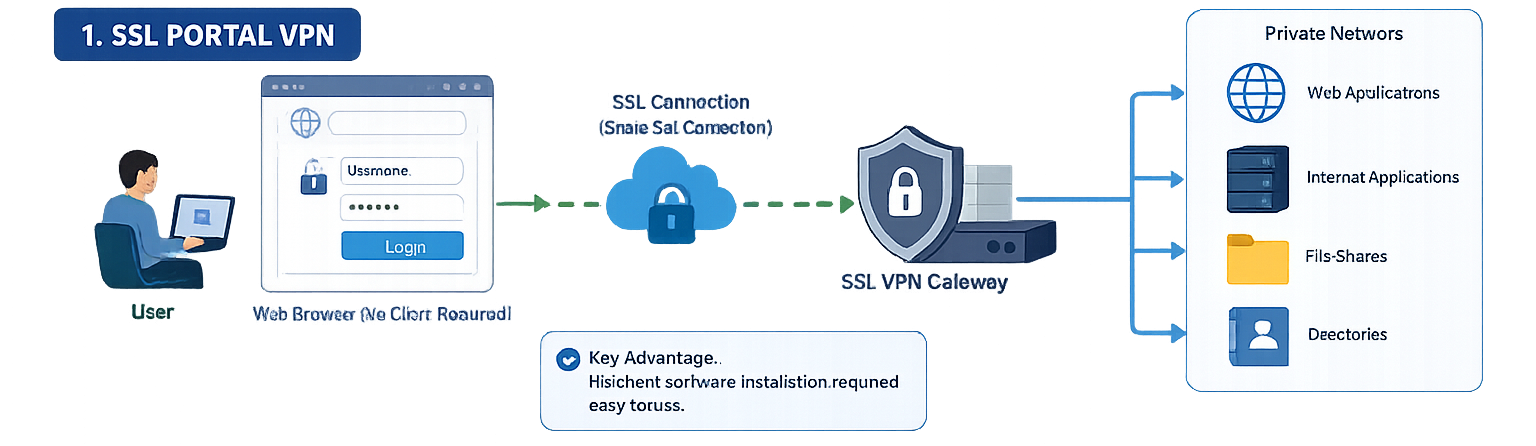
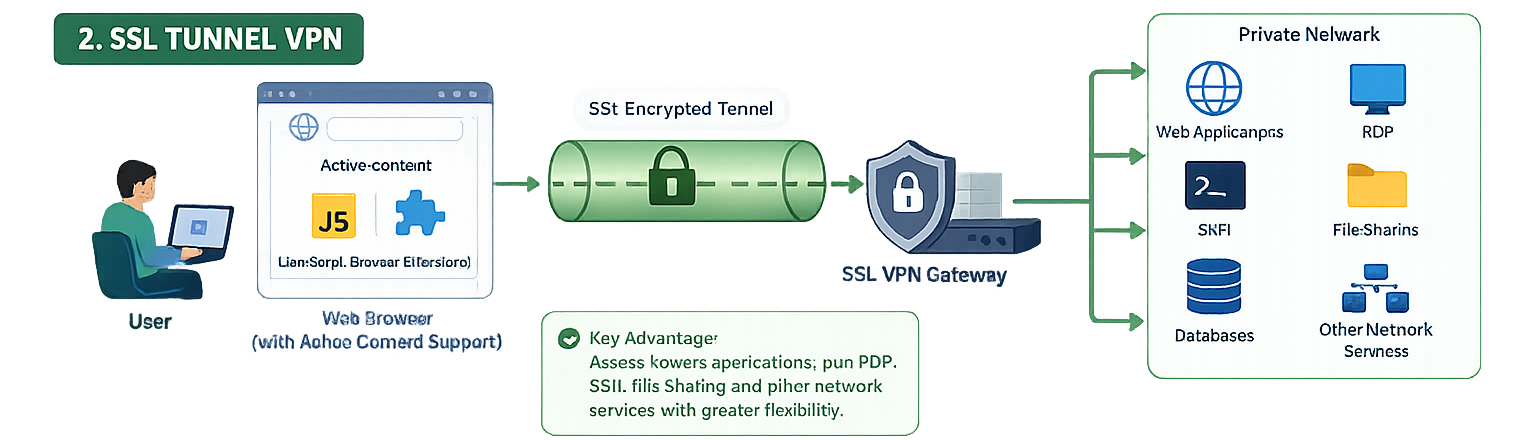
Before enabling remote access, define who needs access, which applications they need and the smallest network range required. Create separate user groups for different roles rather than giving every remote user the same tunnel permissions. Pair authentication with MFA where available, and make sure the identity source, group mapping and portal rules have been tested with a non-administrator account.
Use this practical validation sequence:
Confirm the public DNS name and certificate match the remote-access gateway.
Verify a test user can authenticate and receives the intended portal or tunnel mode.
Confirm the user can reach only the approved internal applications.
Review firewall and VPN logs for the session, assigned address and policy match.
Test name resolution, split tunnelling behaviour and disconnect/reconnect handling.
Troubleshooting secure remote access
Users cannot sign in
Check the public reachability of the gateway, certificate validity, user-group membership and the authentication server response. Treat a failed login as an identity or policy signal first; do not weaken the password, MFA or certificate requirements merely to complete a test.
Users sign in but cannot reach an internal application
Confirm the SSL VPN portal assigns the correct address pool and that a firewall policy exists from that pool to the target network. Check routing in both directions, DNS records for internal names and whether the application has its own access controls. Session logs will usually identify whether the traffic was denied, routed incorrectly or never resolved.
Security controls to keep in place
Use least-privilege portal rules, MFA, current certificates, timely firmware updates and regular review of remote-access logs. Remove accounts that no longer need access and keep an emergency access procedure that is audited and time-limited. A VPN is not just a connection method: it is part of the organization’s identity, monitoring and incident-response boundary.
When SSL VPN is the right fit
SSL VPN is useful when staff or support engineers need secure access to selected internal services from unmanaged networks. The right design depends on the applications, device posture, user identity and risk level. For broader zero-trust access requirements, evaluate the full access architecture rather than treating a single VPN configuration as the only control.
Ready to start?
Join a published OneAccess program and continue from the student LMS.
We'll send focused training, certification, and enterprise IT updates connected to this article. Your details are sent to our CRM follow-up workflow and saved in the local lead queue.


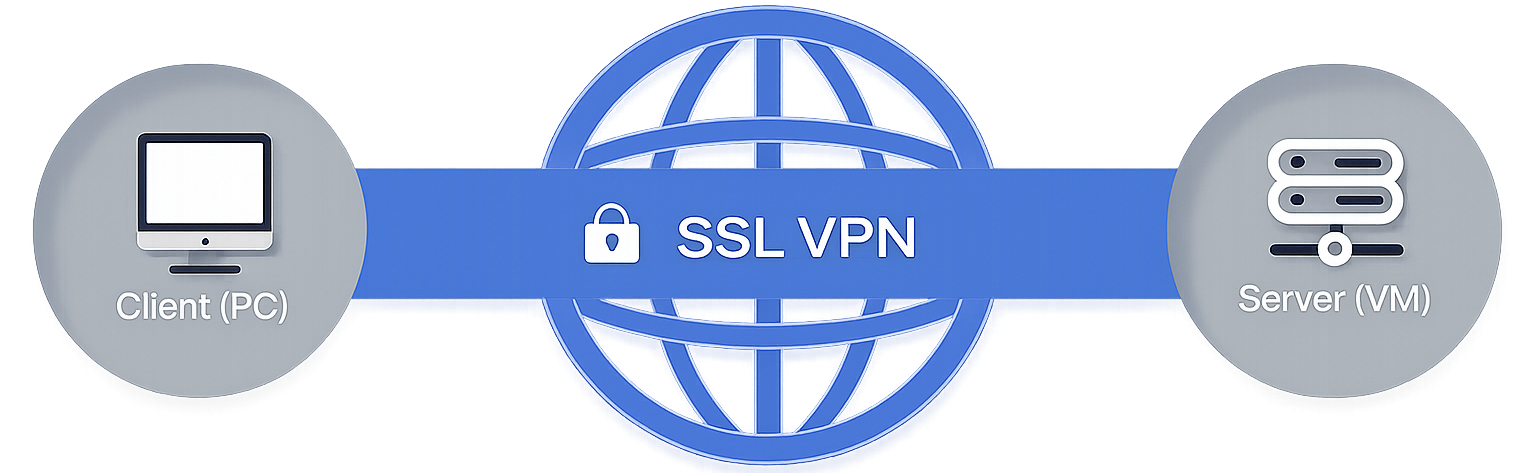 Secure Socket Layer Virtual Private Network (SSL VPN) යනු දුරස්ථ (Remote) පරිශීලකයන්ට විශේෂිත Client Software එකක් ස්ථාපනය කිරීමේ අවශ්යතාවයකින් තොරව Web Applications, Client-Server Applications, අභ්යන්තර ජාල (Internal Network) සේවාවන් සහ Directory Resources වෙත ආරක්ෂිතව ප්රවේශ වීමට ඉඩ සලසන VPN තාක්ෂණයකි.